


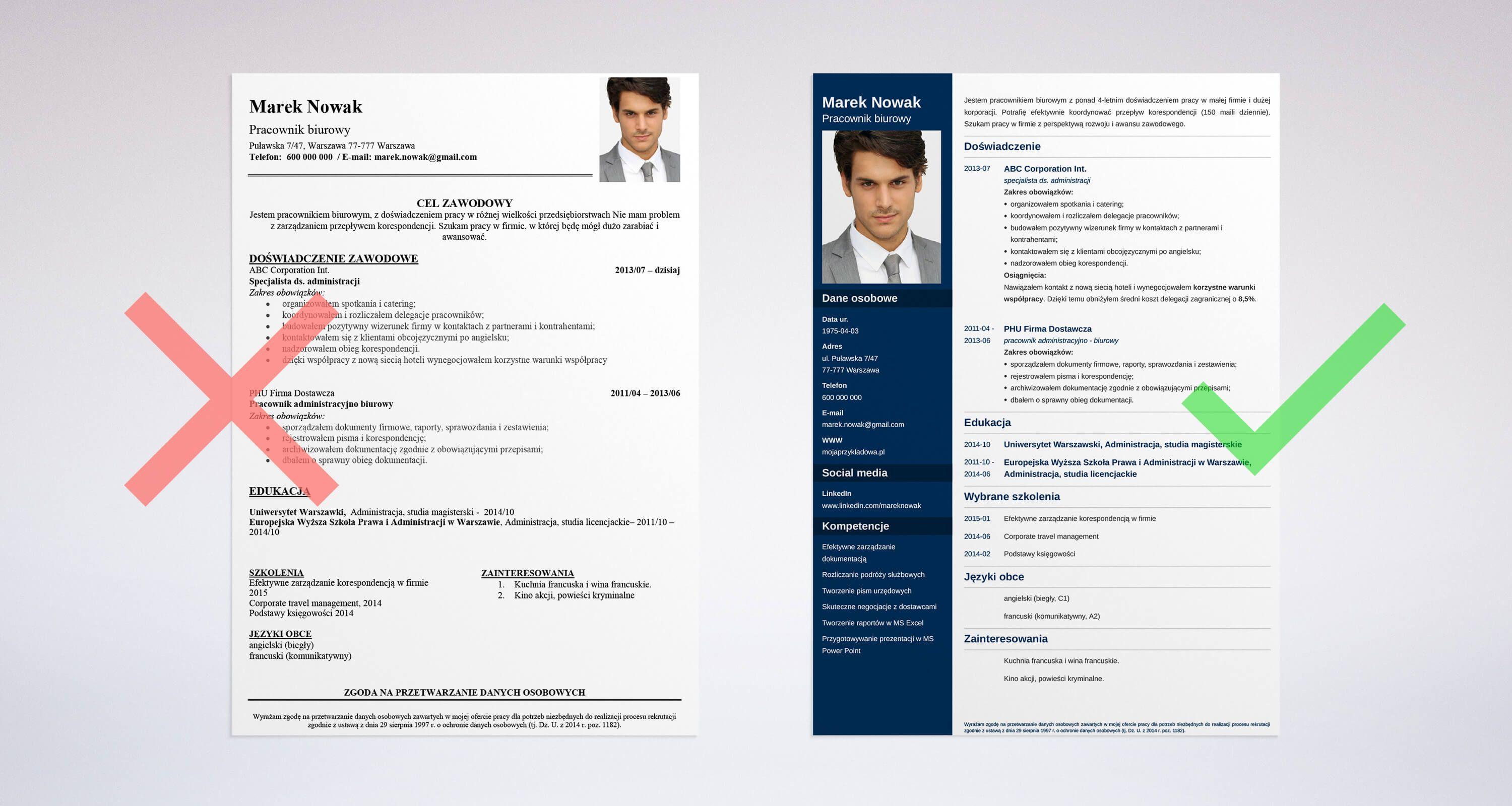
Your CV is often the first impression you make on potential employers. A well-formatted document can open doors, while a messy one might close them before you get a chance to shine. Let's explore how proper CV formatting can transform your job search experience.
What Is CV Formatting and Why Does It Matter?
CV formatting refers to how you organize and present your professional information on paper or screen. It includes everything from font choices to section arrangement and spacing decisions.
Think of your CV as a professional advertisement for yourself. Just like a store wouldn't display products randomly on shelves, you shouldn't present your qualifications without structure and clarity.
The Texas Job Market Perspective
Texas has a diverse employment landscape. From tech hubs in Austin to energy companies in Houston, each industry has unique expectations. Understanding local preferences helps you stand out in the competitive Texas job market.
Essential Elements of Strong CV Formatting
Contact Information Placement
Your contact details should sit at the top of your CV where recruiters can easily find them. Include:
- Full name in larger font
- Phone number with area code
- Professional email address
- City and state (Texas)
- LinkedIn profile URL
Professional Summary Section
Start with a brief overview of who you are professionally. Keep this section between 3-4 lines. Focus on your strongest qualifications and what makes you unique.
Avoid vague statements. Instead, mention specific achievements or skills that relate to your target position.
Work Experience Organization
List your jobs in reverse chronological order, starting with your most recent position. For each role, include:
- Job title
- Company name
- Location (city and state)
- Employment dates (month and year)
- 3-5 bullet points describing achievements
Format Your Achievements Properly:
- Begin each bullet with action verbs
- Include measurable results when possible
- Keep statements concise and clear
- Focus on impact rather than duties
Education Details
Place your education section based on your career stage. Recent graduates should list it near the top, while experienced professionals can move it lower.
Include your degree name, institution, graduation year, and relevant coursework or honors if they strengthen your application.
Common CV Formatting Mistakes to Avoid
Overcrowding Your Page
White space is your friend. A cluttered CV overwhelms readers and obscures important information. Leave margins of at least 0.5 inches on all sides.
Break up text with clear section headings and adequate spacing between entries.
Inconsistent Formatting
Consistency shows attention to detail. If you bold one job title, bold all job titles. If you use bullet points in one section, use them throughout.
Small inconsistencies signal carelessness to hiring managers.
Using Unprofessional Fonts
Stick with clean, readable fonts like Arial, Calibri, or Times New Roman. Font size should be 10-12 points for body text and 14-16 points for your name.
Avoid decorative or script fonts that reduce readability.
Including Unnecessary Information
Leave out personal details like age, marital status, or photos unless specifically requested. These elements waste space and can introduce bias.
CV Formatting Services: When to Consider Professional Help
Sometimes creating a polished CV feels overwhelming, especially if you're changing careers or have complex work histories. Professional CV formatting services can help transform rough drafts into polished documents.
These services understand what recruiters in different locations expect. Whether you're job hunting in California, New York, Florida, or Texas, they adapt your CV to regional preferences.
Regional Considerations Across States
Texas Format Preferences
Texas employers value straightforward communication. Keep your CV clear and focused on results. The business culture here appreciates confidence backed by concrete achievements.
California Tech Industry Standards
California, particularly Silicon Valley, prefers modern CV designs. Technology roles may accept more creative layouts than traditional industries.
New York Corporate Expectations
New York's corporate world tends toward conservative formatting. Financial services and law firms expect traditional, clean layouts without embellishments.
Florida Diverse Industries
Florida's varied economy means formatting flexibility. Match your CV style to your target industry, whether tourism, aerospace, or healthcare.
Creating an ATS-Friendly CV Format
Many companies use Applicant Tracking Systems (ATS) to screen CVs before human eyes see them. These systems scan documents for keywords and proper formatting.
ATS Optimization Tips
Simple Formatting Works Best:
- Use standard section headings
- Avoid tables and text boxes
- Save as .docx or PDF format
- Skip headers and footers for important information
- Use standard bullet points
Keyword Integration:
- Mirror language from job descriptions
- Include industry-specific terms
- Spell out acronyms on first use
- List relevant software and tools
- Mention certifications by full name
Step-by-Step CV Formatting Process
Step 1: Choose Your Template
Start with a clean template or create one from scratch. Many word processors offer built-in CV templates that provide good starting points.
Step 2: Input Your Information
Add your details section by section. Focus on content first, then worry about making it look perfect.
Step 3: Format Consistently
Apply uniform formatting throughout. Check that dates, bullet points, and section headings follow the same style.
Step 4: Review and Edit
Read through multiple times. Check for typos, grammatical errors, and formatting inconsistencies. Ask friends or mentors to review it as well.
Step 5: Test Your CV
Send your CV to yourself via email to see how it displays. Print a copy to check how it looks on paper.
Digital CV Considerations
File Naming Matters
Name your file professionally: "FirstName_LastName_CV.pdf" rather than generic names like "resume1.docx."
Email Submission Format
When emailing your CV, write a brief professional message in the body. Don't just attach the file without context.
Online Application Systems
Some systems have character limits or specific fields. Be prepared to adapt your CV formatting to fit different platforms.
Maintaining Your CV Over Time
Don't wait until you need a job to update your CV. Set a reminder every few months to add new achievements, skills, or certifications.
Keep a master document with all your experiences, then customize shortened versions for specific applications.
Frequently Asked Questions
What is the best CV format for beginners?
New job seekers should use a chronological format that highlights education and any internships or volunteer work. Focus on transferable skills and academic achievements until you build more work experience.
How long should my CV be?
Most professionals need only one page. Senior executives or academics with extensive publications might require two pages. Never exceed two pages unless you have exceptional circumstances.
Should I include a photo on my CV?
In the United States, including photos is generally discouraged. Texas employers, like most American companies, prefer CVs without photos to avoid potential discrimination issues.
What file format works best for CV submissions?
PDF format preserves your formatting across different devices and software. However, some ATS systems prefer Word documents. Check the job posting for specific instructions.
How often should I update my CV formatting?
Review your CV format annually or when applying to different industries. Formatting trends evolve, and what worked five years ago might look outdated today.
Can I use color in my CV?
Minimal color use is acceptable for creative fields. Conservative industries in Texas prefer traditional black and white formatting. If using color, limit it to section headings or your name.
Final Thoughts
Strong CV formatting opens opportunities by presenting your qualifications clearly and professionally. Whether you're applying for positions in Texas, California, New York, or Florida, the principles of good formatting remain consistent.
Invest time in creating a clean, organized document that highlights your strengths. Your future self will thank you when interview invitations start arriving in your inbox.

 Arabic
 French
 Spanish
 Portuguese
 Deutsch
 Turkish
 Dutch
Dutch
 Italiano
 Russian
 Romaian
 Portuguese (Brazil)
 Tiếng Việt