


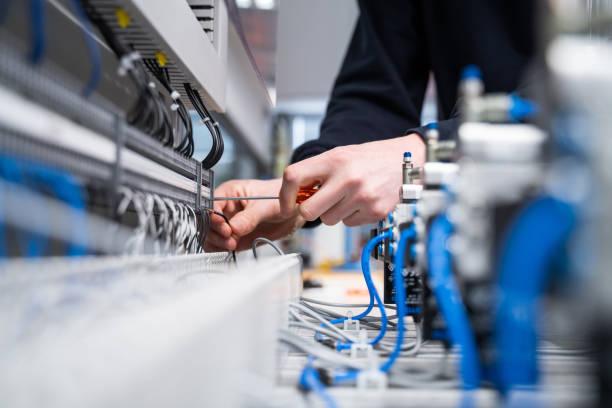
Most homeowners think of networking as simple Wi-Fi. They imagine plugging in a router and enjoying full coverage. But in reality, a strong home network depends on planning, wiring, testing, and careful placement of equipment. Anyone scheduling networking installation in North Shore MA often discovers that the work behind the scenes matters more than the visible devices. This guide takes a deep look at what happens during a professional networking installation and explains why each step is important for speed, reliability, and long-term performance.
Why Networking Installation in North Shore MA Requires More Than a Router
Home networks today carry video streaming, gaming systems, smart home devices, security cameras, and work-from-home tools. One installer said, “A router alone can’t manage a modern home.” This helps explain why professional installations go far beyond a single device. The network must be built like a system, with strong wired connections and well-planned wireless access points. A weak setup leads to dead zones, buffering, and unstable connections.
Step One: Evaluating the Home’s Layout
Before running cables or selecting equipment, installers study the home. They look at room placement, wall materials, and areas that need strong signals.
Evaluations include:
-
Size of the home
-
Number of floors
-
Wall thickness
-
Device-heavy rooms
-
Outdoor coverage needs
-
Interference risks
Understanding layout helps installers predict where Wi-Fi may fail and where wired connections are needed.
Step Two: Testing Existing Signal Strength
Even homes with routers already installed benefit from signal tests. These tests show which rooms get strong, weak, or unstable coverage.
A simple table highlights common coverage issues:
| Area | Common Problem | Cause |
|---|---|---|
| Basement | Weak signal | Concrete walls |
| Upstairs bedrooms | Slow speeds | Distance from router |
| Backyard | Drop-offs | No outdoor access point |
| Kitchen | Interference | Appliances blocking signal |
Professionals performing networking installation in North Shore MA use tools that measure actual signal strength, not guesswork.
Step Three: Planning Wired Connections
Though Wi-Fi is essential, wired connections create a stronger foundation. Many homeowners don’t realize how important Ethernet is for stable internet.
Ethernet supports:
-
Smart TVs
-
Gaming consoles
-
Desktop computers
-
Security cameras
-
Streaming devices
Why Wiring Matters Behind the Scenes
Wired connections reduce lag, improve quality, and take pressure off the Wi-Fi network. This leaves more wireless bandwidth for phones, tablets, and guests.
Step Four: Creating a Central Control Point
A network works best when all major components connect to one central area. Professionals design a structured wiring hub to make management easy.
A hub often holds:
-
Routers
-
Switches
-
Ethernet patch panels
-
Modems
-
Power management devices
This small area controls the entire network and keeps wiring organized.
One installer said, “If the hub is clean, the whole network stays healthy.”
Step Five: Running and Organizing Cable Paths
Cable paths must be planned to avoid heat, interference, moisture, and sharp edges. Poor routing leads to early damage or reduced signal performance.
Installers avoid risks by:
-
Keeping wires away from power lines
-
Avoiding tight bends
-
Labeling each line
-
Using secure mounting points
-
Routing through protected channels
Professionals skilled in networking installation in North Shore MA know how to keep wiring both hidden and safe.
Step Six: Setting Up Access Points for Whole-Home Coverage
Access points act as additional broadcast locations for the Wi-Fi network. Many homes require multiple access points for strong coverage.
Common access point locations include:
-
Hallways
-
Ceilings
-
Living rooms
-
Home offices
-
Upstairs landings
Why Access Points Make a Difference
Unlike repeaters, which weaken a signal, access points broadcast full-strength coverage. This helps remove dead zones and keeps speeds fast everywhere.
Step Seven: Configuring the Network for Performance
The network must be configured to handle high bandwidth, security settings, and device prioritization.
Configuration steps include:
-
Setting passwords
-
Creating guest networks
-
Assigning priority to important devices
-
Managing parental controls
-
Adjusting frequency bands
This setup improves stability, especially in homes with many devices.
Professionals offering networking installation in North Shore MA ensure the network is optimized for both speed and safety.
Step Eight: Testing the Entire System
Testing is one of the most detailed parts of the installation. Without testing, small issues hide until they cause frustration later.
Testing includes:
-
Speed tests
-
Device connectivity
-
Wi-Fi coverage mapping
-
Wired connection checks
-
Outdoor signal testing
-
Load tests to see how the network handles heavy use
A technician once said, “A network is only good when it performs on the worst day, not the best.” Testing helps ensure that reliability.
Step Nine: Planning for Future Devices
As smart homes grow, networking needs increase. Even if a homeowner doesn’t use many devices today, they may add more later.
Planning includes:
-
Extra Ethernet ports
-
Space for additional access points
-
Scalable switches
-
Future-proof cables
-
Flexible hub placement
Homes that prepare early avoid expensive rewiring later.
Thinking Ahead
A network built with expansion in mind stays relevant for years.
Step Ten: Teaching Homeowners How to Use the System
Professional installers help homeowners understand their new network. This step ensures long-term success.
They explain:
-
How to reboot equipment
-
How to check speeds
-
Where to connect new devices
-
How to adjust settings
-
What to expect from each access point
A strong network is only useful if the homeowner knows how to maintain it.
Final Thoughts
A strong home network depends on careful planning, precise wiring, organized hubs, and detailed testing. Every behind-the-scenes step shapes the speed and reliability of the system. When installers evaluate layouts, set up access points, and create a clean control hub, the entire home benefits from smoother internet use every day. During installation, when cables run through open walls and equipment fills the work area, guidance from Becker Media Design helps homeowners stay comfortable and informed. Once the system is complete and every room reaches full signal strength, the home feels ready for modern technology without limits.

 English
 Arabic
 French
 Spanish
 Deutsch
 Turkish
 Dutch
Dutch
 Italiano
 Russian
 Romaian
 Portuguese (Brazil)
 Tiếng Việt