


Introduction:
Building or upgrading a computer is always an exciting process. Gamers, content creators, and tech enthusiasts alike want to ensure that every part of their system works together efficiently. However, one common issue many people face is the problem of bottlenecks—where one component holds back the performance of others. To solve this challenge, many turn to a Bottleneck Rechner (bottleneck calculator), an online tool designed to help users evaluate whether their system components are well-matched.
In this article, we’ll explore what a bottleneck is, why it matters, how a Bottleneck Rechner works, and why it’s an essential tool for anyone serious about PC performance.
What is a Bottleneck in Computing?
The term “bottleneck” is used to describe a restriction in a system that prevents it from reaching its maximum potential. In computing, a bottleneck happens when one piece of hardware slows down the overall performance. For example, pairing a powerful graphics card with a weak CPU may cause the processor to limit the GPU’s performance. Even though the graphics card could deliver high frame rates, the CPU cannot keep up, resulting in reduced output.
Common types of bottlenecks include:
-
CPU bottleneck – When the processor is too weak compared to the GPU.
-
GPU bottleneck – When the graphics card cannot keep up with the processor.
-
RAM bottleneck – When limited memory restricts performance.
-
Storage bottleneck – When an HDD slows down tasks compared to an SSD.
This is where a Bottleneck Rechner becomes extremely useful.
What is a Bottleneck Rechner?
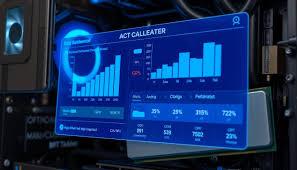
A Bottleneck Rechner is an online calculator that helps users estimate the balance between different PC components. By entering details about your CPU, GPU, RAM, and sometimes storage, the calculator analyzes the potential performance gap between them. The result shows whether your system is balanced or if a specific part is limiting your computer’s overall efficiency.
For example, if you enter an Intel i5 processor with an NVIDIA RTX 4090 GPU, the Bottleneck Rechner will likely show a CPU bottleneck because the graphics card is far more powerful than the processor. This allows you to understand which part may need upgrading.
How Does a Bottleneck Rechner Work?
While each tool may use slightly different methods, most Bottleneck Rechner platforms work in a similar way:
-
Input System Specs – You enter details about your CPU, GPU, RAM, and sometimes storage.
-
Database Comparison – The calculator uses a database of performance benchmarks to compare components.
-
Performance Match Analysis – It calculates how well your CPU and GPU complement each other.
-
Percentage Result – The tool provides a percentage value that shows the extent of the bottleneck. For example, it may say your CPU bottleneck is around 20%.
-
Upgrade Suggestions – Some calculators recommend which component should be upgraded for better balance.
Advantages of Using a Bottleneck Rechner
Using a Bottleneck Rechner provides several benefits:
-
Saves Money – Prevents you from overspending on a high-end GPU that your CPU cannot support.
-
Improves Performance – Helps ensure smoother gameplay and faster workflows by identifying weak points.
-
Guides PC Builds – Ideal for people building a new PC, as it ensures balanced hardware selection.
-
Easy to Use – Most calculators are simple, requiring only a few clicks.
-
Future-Proofing – Helps you choose components that will remain efficient for years.
See more: Bottleneck
Limitations of a Bottleneck Rechner
Although a Bottleneck Rechner is a valuable tool, it does have limitations. Performance depends on many factors, such as:
-
Software optimization (some games rely more on CPU, others on GPU).
-
Resolution and graphical settings.
-
Background applications consuming resources.
-
RAM speed and storage type.
Therefore, the results from a bottleneck calculator should be taken as a guideline rather than an absolute rule. Real-world performance testing is always recommended.
Real-Life Example of Using a Bottleneck Rechner
Imagine you want to build a gaming PC with the following components:
-
CPU: AMD Ryzen 5 5600X
-
GPU: NVIDIA RTX 4070
-
RAM: 16GB DDR4
-
Storage: 1TB NVMe SSD
By entering these specs into a Bottleneck Rechner, you might find the system is well-balanced, with minimal bottlenecking. However, if you replaced the Ryzen 5 with an older Intel i3 processor, the calculator would indicate a significant CPU bottleneck, alerting you that the GPU’s potential would be wasted.
How Gamers Use a Bottleneck Rechner
For gamers, system balance is critical. Playing modern titles like Cyberpunk 2077, Call of Duty, or Assassin’s Creed requires both CPU and GPU power. If you search for a Bottleneck Rechner before upgrading your hardware, you can avoid frustration and ensure that your gaming rig delivers maximum performance without unnecessary spending.
Beyond Gaming: Bottleneck Rechner for Professionals
It’s not just gamers who benefit from a Bottleneck Rechner. Content creators, video editors, 3D designers, and software developers also need balanced systems. For example, video rendering may require a powerful CPU with multiple cores, while 3D design tools often demand GPU strength. Using a calculator ensures professionals build a machine tailored to their workflow.
Tips for Reducing Bottlenecks
If your Bottleneck Rechner indicates an imbalance, here are some solutions:
-
Upgrade the Weaker Component – If the CPU is too weak, consider a stronger processor.
-
Optimize Software Settings – Adjust game or program settings to reduce strain on one component.
-
Add More RAM – Increasing memory can minimize bottlenecks in multitasking.
-
Switch to SSDs – Upgrading from HDD to SSD improves overall speed.
-
Balance Budget Allocation – Instead of spending all on one part, distribute your budget across components.
Conclusion
A Bottleneck Rechner is an essential tool for anyone who wants to build or upgrade a PC. By analyzing your hardware and predicting potential bottlenecks, it ensures that your investment is well-spent and your system runs efficiently. While it may not be 100% precise, it offers valuable insights into how your components work together.
Whether you are a gamer aiming for higher frame rates, a content creator optimizing for speed, or simply a tech enthusiast building your dream machine, using a Bottleneck Rechner can save time, money, and frustration. Ultimately, a well-balanced PC provides not just better performance but also a smoother, more enjoyable computing experience.
See more blogs: Visit Here

 English
 Arabic
 French
 Spanish
 Portuguese
 Turkish
 Dutch
Dutch
 Italiano
 Russian
 Romaian
 Portuguese (Brazil)
 Tiếng Việt